


It seems natural that the design team, being as it is in the service of the development team, should be organized in the same way, around a 2-week sprint. Unfortunately, in practice, that rarely works well. There is a vast difference between the work required to design the product and the work required to build one. Here’s how to keep both teams happy and productive.
Practical strategies for improving mobile, tablet, search, ecommerce, enterprise and social networking user experiences.

The One Thing Intelligent Leaders Should Never Say to Designers
Nothing comes close to the negative impact on the morale and effectiveness of your designers than this one word you should ban from your office.

What is the Most Inventive Thing You’ve Done?
Someone recently asked me, “What is the most inventive thing you’ve done?†Woa. Full stop. Talk about a total brain freeze. You mean out of over 100 projects, patents, client engagements, talks, and workshops… I had to pick just one? But after only a moment’s hesitation, I realized that there was simply no debate.

#ItsNotAboutYou
“Arrogance and fear still keep you from learning the simplest and most significant lesson of all,†Ancient One tells Dr. Strange. “It’s not about you.†Let me break this down into four key lessons that this particular arrogant and fearful fool had to learn the hard way.

12 Tips: “Code Smarter with UX” #DigitalIndustrial #IIoT
Video: 2-hr Sioux keynote in Eindhoven, Netherlands. Create the superior Digital Industrial UX with a Digital Twin, sparklines, applied Gestalt principles, “working graphs” with direct UI manipulation, metrics correlation for root cause analysis, and advanced data visualization.

Lean UX Communication Strategies for Success in Large Organizations
Make your lean UX design practice more collaborative and productive by employing these four sophisticated yet straightforward lean UX communication strategies, especially adapted for success in large, distributed organizations.

How to Pick the Right Framework for your Chatbot or Virtual Assistant Project
There has never been a more exciting time to be a part of a team designing and building digital products! As an example, here are just a few of the projects that I was involved with last year: â— A Slack bot that serves up cloud application and network performance alerts and graphs, and provides proactive …
Lean UX is Simple
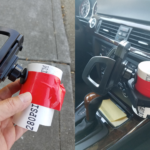
Lean UX Design Process in a nutshell: 1. Feel the pain 2. Brainstorm together 3. Prototype cheaply 4. Iterate quickly 5. Try it in real world 6. Repeat steps #2-5 until #1 is eliminated I got tired of how poorly the phone holder was working, so I made my own from leftover household materials in about 20 minutes, after 4 quick …

How to Name Your Chatbot: GUPPI, Samantha, Alexa, Siri, and HAL 9000
In his brilliant Bobiverse trilogy, Dennis E. Taylor writes about Bob, a Silicon Valley CEO, whose brain is scanned into a computer and becomes the AI in an interstellar spaceship. GUPPI (General Unit Primary Peripheral Interface) is virtual Bob’s virtual assistant. GUPPI has limited intelligence, on a par with Siri or Alexa of our own post-industrial age, …
3.5 Lean UX hacks to help you succeed in large organizations
Not every UX strategy meets with instant success in complex organizations, especially at companies in a transition from traditional heavy industries, or those whose culture is dominated by engineering. The 3.5 Lean UX hacks described in this article are hands-on, practical strategies to help you make your design and research practice more collaborative and productive in a large organization, while also preserving your sanity.
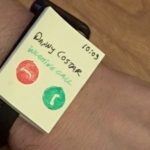
How to create a Lean UX Wearable Smart Watch Prototype
Video: How to design wearables like Tony Stark — in 3 minutes. Answering the phone while driving with 2 wearable interface designs: 1) Existing Apple Watch UX & 2) New “Tony Stark” design. Presented at SXSW, HCI International, IA Summit and UX Alive Istanbul.
What Does Your Wearable UX Sound Like?
With the mass introduction of wearables and smart devices into our lives, our interaction with a digital realm is increasingly not just a single focused experience (or even multiple semi-focused experiences throughout the day, as in smart phone) but instead almost a continuous interaction… kind of like a soundtrack of our lives.

Should I have a separate mobile website or one website that is responsive to all screen sizes?
This is a common question many of my clients and students ask me. The simple answer is that the baseline is a responsive website, especially if you are in the marketing and content distribution business. However, the truth is a bit more complicated, because: Today’s web landscape is sophisticated enough that no one strategy fits all scenarios. …

How to Draw an Effective Storyboard: UX Design Project, DesignOps Workshop, Web, Mobile, or Wearable Product Design
Video: 36-minute free segment of O’Reilly Video Course. Covers all of the essential parts of the storyboard: Things, People, Faces, Opening Slide, and Transitions. Expert hands-on guided exercises provide step-by-step instruction in basic drawing skills. The module also covers advanced topics like poses and camera angles for students who are ready to move to the …

Effective Sketching for UX Design: New O’Reilly Video Course
30 Minute video: Parts of a Storyboard is currently available to view FREE, for a limited time. I’m proud to present our new video course from O’Reilly Media: Effective Sketching for UX Design Written and presented by UX design expert Greg Nudelman (clients include Oracle, Cisco, and eBay) and Emmy-nominated graphic designer Will Krause (Sesame …
8 Mobile UX Trends You Can’t Afford to Ignore
Here are the top trends in the mobile UX industry. Without further ado, here’s our count-down to #1. #8 Mobile First: Responsive Web Design Responsive Web Design or RWD has been a dominant trend in web industry for several years now. We predict that this will continue to be the case. RWD will be the …
What is the $1 Prototype Mobile Design Methodology? (Book Excerpt)
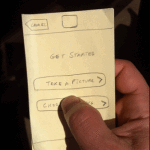
The state of your prototype must reflect the state of completion of your system. This simple guideline is also very profound. The degree of certainty in your design should be reflected in the level of completion of your prototype. The project starts with a rough storyboard which is highly uncertain and full of assumptions: no one knows if
the audience will find the product useful, if they will pay for it, or even if the product can (or should) be built.
How to Easily Prototype Your Android L Material Designs: TripAdvisor App Case Study
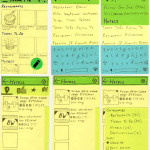
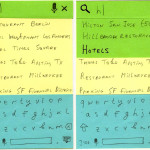
In my workshops, often the greatest challenge for designers is converting their existing Android designs to the new Material Design approach—making the interface both simpler and more visually rich than their corresponding Android 4.x designs, as well as laying out the “happy path†for the customers (using Floating Action Button or FAB, as one of the tools). The following sticky note wireframes demonstrate my quick take on converting the Android 4.x TripAdvisor app into Material Design using $1 Prototype methodology — perfect for prototyping Android Material Designs.

Visual Guide to Android L Material Design: 7 Insights Every Serious Designer Needs to Know
Material Design is a new Google design language that Google hopes to port to everything from mobile phones and tablets to websites and desktop apps. Here are 7 hard-won insights from 4 Material Design workshops I recently facilitated with my top clients in Argentina, Abu Dhabi and United States.

7 Mobile Trends for 2014 (and How to Profit From Them – with Case Studies!)
The importance of mobile to your company’s digital strategy cannot be overstated. But where to focus your energies? Here are 7 trends we see emerging in many of our clients’ businesses, from financial and banking services to ecommerce and social media.

C-Swipe: An Ergonomic Solution To Navigation Fragmentation On Android
There are 3,997 different Android devices. Your navigation should work with all of them. C-Swipe can help: It is an alternative navigation pattern for tablets and mobile devices that is novel, ergonomic and localized. This article provides a detailed walk-through of the design and code and provides a downloadable mini-app so that you can try out C-Swipe to see whether it’s right for your app.
Let Them Pee: Avoiding the Sign-Up/Sign-In Mobile Antipattern
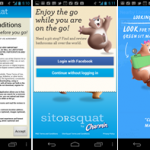
Anything that slows down customers or gets in their way after they download your app is a bad thing. That includes sign-up/sign-in forms that show up even before potential customers can figure out if the app is actually worth using.
The Definitive Guide To The Android Carousel Design Pattern
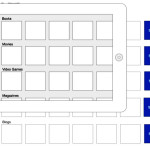
We’ll use the analogy of a real-world amusement park carousel to explain what makes for an authentically mobile user experience, and we’ll give you the design, the complete source code and a downloadable mini-app, which you can use today to add an enjoyable and effective carousel to your own app on phones and tablets.

Three essentials of Android design DNA
For many years since its release, the Android OS has been behaving like a teenager in the grip of raging hormones. Growth has been nothing short of explosive and the changes have been sweeping and profound. With the release of Ice-Cream Sandwich OS, the UI standards and design elements have changed dramatically and the platform has really matured and even stabilized somewhat. Nevertheless, the OS has retained it’s rebellious hacker DNA with unique features that are authentically Android.

Mobile Welcome UX Antipattern: End User License Agreement (EULA)
Like the overzealous zombie cross-breed between a lawyer and a customs agent, End User License Agreements (EULAs) require multiple forms to be filled out in triplicate, while keeping the customers from enjoying the app they have so laboriously invested time and flash memory space to download.
Essential Design Patterns For Mobile Banking
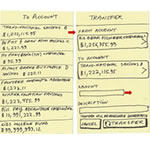
Despite a great deal of mobile innovation, many creators of financial apps still copy their interface patterns from the desktop Web, even though these patterns are not as well suited to the mobile space. Small screens, custom controls, divided attention and fat fingers demand different thinking when designing for mobile: taking what works on the Web and converting it into authentically mobile flows using simple, effective design patterns.

Android, Siri and Tangible Future of Voice Search UX
Today, Apple announced a bunch of enhancements to Siri and voice search. How does Siri UX compare with Android 4.0? What’s just around the corner for Voice Search? Don’t tell your phone or tablet anything else until you’ve read the article.
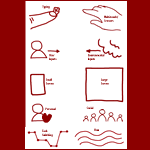
Cross Channel UX Elements Framework
The Cross Channel UX Elements framework is a practical design tool you can use to create “Magic Moments†of flow and delight for your customers across the different channels in a more deliberate fashion, rather than arriving at great designs only through occasional happenstance.
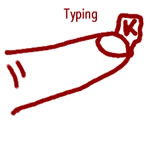
Mobile Magic Moments: Transform the Trivial
When mobile or tablet design is executed well, the device feels like the extension of our bodies. Because interfaces respond even before we consciously give them a command. Often, the interface “dissolves in behavior†and we feel empowered, as though the device we hold in our hand is the equivalent of Iron Man’s suit of cybernetic armor, or Batman’s utility belt. I call this empowering experience a “Magic Momentâ€.

Don’t Put a QR Code on Your Business Card
… until you read this article. I had a QR code on my business card for years, and studied how to engage people after the initial QR Code scan, and how to drive tangible value. Here I will reveal everything I learned about using QR Codes for personal and social connection, including using special formats like MECARD, and the secrets of linking to Twitter, LinkedIn, blog posts and custom landing pages.

Why we don’t do mobile usability tests (and neither should you)
In my experience, mobile usability tests, as they are popularly conducted, are a waste of time and resources and in vast majority of cases fail to lead to creation a better mobile product. Instead, I conduct RITE (Rapid Iterative Testing and Evaluation) studies: the only methodology that I’ve actually experienced in the real life yielding more delightful, usable and successful mobile products in less time.

4 Ridiculously Simple Tips for Using QR Code to Connect 10 Times More Mobile Customers With your Social Media
Engaging with your customers through mobile social media is an excellent idea, and has the potential to add a lot of value and further enhance the relationship of your customers to your brand. Here are four simple tips that will help you make the most of the QR Code technology.

Ultimate Guide to Designing NFC Mobile Apps You Won’t be Ashamed Of
Mobile NFC (Near Field Communication) is finally here! Here is the ultimate guide to designing awesome mobile NFC apps your customers will rave about.
7 Ways to Whip Up Viral Value Through QR Codes: #6 Connect Through Social Networks (Part 1 of 2)
Installment #6 shows how to deliver QR code value by allowing your customers to connect to your company through social networks. As of the date of this writing, many companies have been implementing their social mobile engagement strategy by putting printed Facebook and Twitter “buttons†on everything from print advertising to packaging. We think QR codes offer a much better solution. This is Part 1 of the article: 6 Reasons Printed Buttons Must Die.

Mobile Websites, Tablet Apps and Hybrids: 7 Mobile Strategy Tips for 2012
Sites like YouTube and Facebook are already projecting mobile use to surpass desktop use as early as *this year*. What’s your mobile and tablet strategy? Allow me to humbly present the wisdom I got from the experience of walking the last 365 miles. Barefoot. In the snow. Uphill both ways.

7 Ways to Whip Up Viral Value Through QR Codes: #7 Offer More Info About Your Product
Your QR code is just the nail you need to engage the consumer. A chance to tell a story. A way to create the authentic, artesian, immersive product experience. An opportunity to give a service that extends the relationship with your brand well beyond the current moment of consumption.

3 Secrets for a Successful QR Code Campaign This Holiday Season
14 million Americans scanned a QR code in June 2011. Most of these folks had higher-end mobile devices and many had a household income of $100,000+. How do you reach these millions of Olympic Caliber Shoppers? Here are 3 key design strategies that help ensure the success of your QR code campaign.
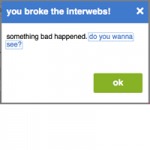
Top 5 Ways to Break Your Login Experience
l’ve been a Deli.cio.us customer for many years, and their browser plugin has been an indispensable tool for writing my book, Designing Search: UX Strategies for eCommerce Success. The plugin is still as delicious as ever, but the login experience has become a cloying, putrid Durian mess that became enough to justify the pain of 2 hours of migrating to and learning another service. Don’t let your customers walk out on you. Avoid these 5 key issues in your login process.

Designing for Kindle Fire and iPad? What you need to know now.
How would an experience on a 7-inch tablet (like Amazon’s Kindle Fire) differ from one on a 9.7-inch tablet like the iPad? How does the size of the tablet device play into the application design, and how the user interacts with the device? Do smaller 7-inch tablets have the potential to be as popular as the larger iPad, from a user experience perspective?

Is Your UI Causing Zero Search Results Pages?
“Designing from Zero” – how to analyze UI challenges that are often the hidden cause of zero-results pages as a catalyst for creating powerful, original design solutions that create customer delight and business revenue.
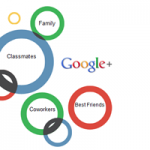
One Circle to Rule Them All: Winning the Battle for Social Network Domination
Twitter , Facebook, email, IM… Will the new Google + Circles become “the One Circle to rule them all”, the social network everyone will want to join? While the jury is out, Google + is helping us frame the challenge to becoming The One Network: connection and communication.

Mobile Auto-Suggest on Steroids: Tap-Ahead Design Pattern
In contrast to desktop Web search, auto-suggest on mobile devices is subject to two additional limitations: typing avoidance and slower bandwidth. The new patent-pending design pattern, Tap-Ahead, uses continuous refinement to create an intuitive, authentically mobile auto-suggest solution. This helps dramatically reduce the amount of typing needed to enter queries, and utilizes slower mobile bandwidth in the most efficient manner. Using this novel design pattern, your customers can quickly access thousands of popular search term combinations by typing just a few initial characters.
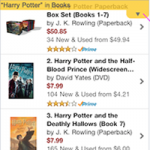
Immersive Mobile E-Commerce Search Using Drop-Down Menus
Specialized drop-down menu are one of the ways of creating immersive experience in mobile e-commerce search UIs. A novel design pattern, status bar drop-down menu, allows 100% of the screen real estate to be dedicated to search results, while also providing convenient and intuitive access to navigation and filter functions.
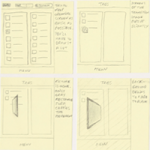
Storyboarding iPad Transitions
In confined mobile computing interfaces, on tablet devices or in complex virtual environments, transitions are an authentic, minimalist way of enabling way-finding, displaying system state and exposing crucial functionality – in short, they are key in creating a superior user experience. Here is how to storyboard transitions quickly using Post-it notes.
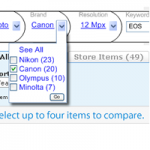
Faceted Finding with Super-Powered Breadcrumbs
Introducing Integrated Faceted Breadcrumb (IFB) design that integrates the power of faceted refinement with the intuitive query expansion afforded by browse.
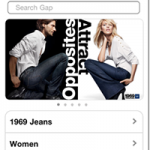
Designing Brand Landing Pages for Mobile Devices
People love to search by brand names. On the small screens of mobile devices, well-designed landing pages can provide a much better experience than keyword search results. This makes brand landing pages today’s biggest sleeper opportunity for mobile and tablet ecommerce. But you have to learn to be completely ruthless with your features and content. Here’s how.
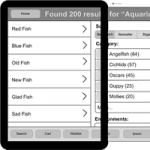
Design Patterns for Mobile Faceted Search: Part II
In Part I of Design Patterns for Mobile Faceted Search, I looked at Four Corners, Modal Overlay, Watermark, and Full-Page Refinement Options design patterns, which maximize the mobile screen real estate. This column covers strategies for making people aware of the filtering options and methods of improving transitions between the various states of a search user interface.
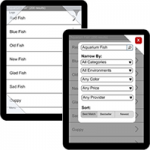
Design Patterns for Mobile Faceted Search: Part I
In my previous Search Matters column, Designing Mobile Search: Turning Limitations into Opportunity, I discussed how mobile search user experiences differ from those on the Web. In this and my next column, I’ll look specifically at the challenges and opportunities of mobile faceted search. This column covers design patterns for maximizing the real estate available for search results, while the next will cover strategies for making people aware of filtering options.
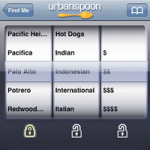
Designing Mobile Search: Turning Limitations into Opportunities
Thinking of porting your Web finding experience to iPhone, Android, or Windows Mobile? Just forget about the fact that these devices are basically full-featured computers with tiny screens. Designing a great mobile search experience requires thinking differently: In terms of turning limitations into opportunities.
Notes from Whitney’s Amazing talk “Evangelizing Yourselfâ€
Notes from Whitney’s Amazing talk “Evangelizing Yourself†http://www.slideshare.net/whitneyhess/evangelizing-yourself-1184852 by Whitney Hess http://www.WhitneyHess.com
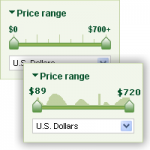
Numeric Filters: Issues and Best Practices
Filters with numeric values remain among the most confusing in faceted search, because many sites have not been able to design usable numeric filters that people can use in an intuitive manner. In this column I cover how to show discrete numeric values, avoid overly constrained filter states, and display key inventory information, and introduce a novel pattern of histogram sliders.
US Patent #6677343: Substituted Piperazine Compounds
Key Ranolazine patent for CV Therapeutics/Gilead: a novel class of compounds that are useful in the treatment of cardiovascular diseases including arrhythmias, angina, congestive heart disease, and myocardial infarction.
US Patent #6180615: Propargyl Phenyl Ether A2A Receptor Agonists
Key CV Therapeutics/Gilead patent for A2A receptor agonists to stimulate mammalian coronary vasodilatation for therapeutic purposes and for purposes of imaging the heart.
US Patent #6677336: Substituted Piperazine Compounds
Key Ranolazine patent for CV Therapeutics/Gilead: a novel class of compounds that are useful in the treatment of cardiovascular diseases including arrhythmias, angina, congestive heart disease, and myocardial infarction.

More Like This: A Design Pattern
The idea behind the More Like This pattern is very simple: within each group of items representing a particular category from a catalog or accompanying each item in search results, provide a prominent link or button with a label that is some variation of More Like This ». Unfortunately, most sites do not make sufficient use of this pattern and some that do use it design and implement it incorrectly.
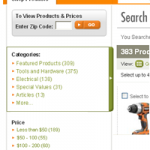
Cameras, Music, and Mattresses: Designing Query Disambiguation Solutions for the Real World
Our language is limited and imperfect. When a customer constructs a query that may have more than one meaning, a good search user interface provides tools to help the customer define the query in less ambiguous terms, so the search results more closely match the person’s intention. This process is known as disambiguation.

Make More Money: Best Practices for Ads in Search Results: Part 2
In Part 2 of Ads Best Practices, we’ll discuss: understanding what makes a good ad, limiting cannibalization, providing ads for internal merchandise instead of third-party advertising, and ads on pages that appear if there are no search results.
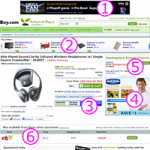
Make More Money: Best Practices for Ads in Search Results: Part 1
Conflicting demands make many UX professionals think of ads as a necessary evil. Customers frequently go out of their way to say they hate ads, while marketers always seem to try their hardest to stuff as many of them as they can on each search results page on your site. In this column, I’ve teamed up with advertisement and eyetracking research guru Frank Guo to present real-world strategies for successfully integrating ads into your search results.
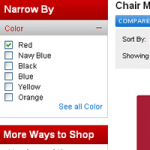
Best Practices for Designing Faceted Search Filters
Office Depot multiple-select attribute-based faceted search redesign misses some key points, making their new search user interface less usable and, therefore, less effective. This makes it an excellent case study for demonstrating best practices for designing filters for faceted search results.
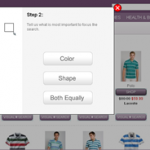
Brave New World of Visual Browsing
Today, everywhere we look, it seems like image content is taking over the Web. The ubiquitous use of digital cameras and improvements in the picture quality of mobile phone cameras has likely helped this phenomenon along. The shift toward content that is primarily visual introduces new challenges and opportunities for developing intuitive and powerful user interfaces for browsing, searching, and filtering visual content.
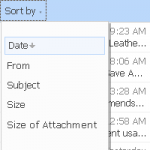
The Mystery of Filtering by Sorting
For most users of consumer-facing ecommerce applications, the difference between a sort and a filter presents a mystery they understand dimly, if at all. The distinction between sorting and filtering blurs, because of a phenomenon I’ve called filtering by sorting, which leads to all sorts of interesting search user interface implications.

Search Results Satori: Balancing Pogosticking and Page Relevance
When designing the data and layout for search results pages, the challenge is finding the right balance between providing enough information in individual search results, so customers can make informed decisions without pogosticking, and providing enough relevant search results on each page of results to warrant further exploration of the site.
Making $10,000 a Pixel: Optimizing Thumbnail Images in Search Results
In search results, the old adage a picture is worth a thousand words rings true. When it comes to making your search results more efficient to use, more relevant, and more attractive, while dramatically increasing your conversion rates and revenues, images reign supreme. This column discusses how to avoid common pitfalls, and get the most out of your thumbnails.

Searching Help: Don’t Even Go There
Web site user assistance that consistently exceeds customer’s expectations can catapult your company to legendary status and create brand equity you can measure in billions of dollars. However, making Help a strategic asset for your company is an arduous task. To shed light on this important topic, I have teamed up with Tricia Clement, a renowned SUA expert, to deliver actionable insights about Web site user assistance.

Choosing the Right Search Results Page Layout: Make the Most of Your Width
Page layout forms the foundation in presenting search results. Your layout decisions for search results pages will have tremendous impact on the user experience for your entire site. Choosing the right width for search results is important, and the optimal width for search results may be a great deal narrower than some people using big monitors would believe.
Do Any Corporate Cultures Truly Embrace UX?
People often ask me if there are companies “out there” that truly embrace UX. In my experience, not one company I ever worked at was truly customer-centric. While some companies might say they are in their mission statement and even hire lots of designers/UX people, companies are only truly committed to one single thing: making …

Starting from Zero: Winning Strategies for No Search Results Pages
Search, more than any other activity on your Web site, is a living, evolving process of discovery, a conversation between a customer and your system. Unfortunately, misunderstandings in this conversation are all too common, and the effectiveness of the zero search results page is critical to keeping the customer engaged. Moreover, thinking creatively about the zero results case can turn a temporary snag in communication into an opportunity for deeper connection and a source of tremendous competitive advantage.
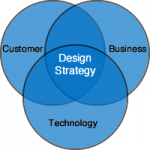
Experience Partners: Giving Center Stage to Customer Delight
In this article I propose the concept of Experience Partners as a whole new way of thinking about our customers as partners in holistic product experiences. Experience Partners reflects an emerging paradigm shift from a focus on product features to instead conceptualizing holistic product experiences, and embodies our best understanding of how to design products that create delight and become integral, harmonious parts of people’s lives.

Improve the Usability of Search-Results Pages: Add Sophisticated but Easy-to-Use Filtering and Sorting Controls
Originally Published in JavaWorld.com, January 23, 2006 ⇒ E.R. Tufte, in his phenomenal book Envisioning Information, states, “Clarity and simplicity are completely opposite of simple-mindedness.” This false simple-mindedness is often evident in the design of a search-results page. Even on some of the leading e-commerce sites, this important page is frequently made hard to use …
Plotting PIA
Cohesive “real-world” guidance to creating, mapping, and deploying .NET Primary Interop Assemblies (PIAs). Practical advice on creating PIAs, three alternative methods for .NET solution mapping, and robust ClearCase integration using absolute file path. Published in ASP.NET Pro November 2005 »
Timestamp-Based Caching Framework: Current Data with Peak Performance
Originally Published on JavaWorld.com, January 3, 2005 ⇒ Build a dynamic LRU cache framework using standard Java utility classes In his timeless masterpiece, The Art of War, Sun Tzu states: “…one who is skilled in warfare principles …takes the enemy’s walled city without attacking… His aim must be to take All-Under-Heaven intact. Therefore, weapons will …
Web-Based Distributed Systems with XML: Loan Exchange B2B Company Case Study
The idea of building effective Web-based distributed systems has been around for a long time. However, much of the efforts have been unsuccessful, largely due to the loose and fuzzy nature of the web architecture, and because HTML and proprietary formats, the two most common web communication mechanisms, do not lend themselves well to sharing …
Beginings of Social Networking: Business Process Redesign With Vertical Net Communities
Vertical Net Communities (VNCs) are changing the way customers interact with data through a slew of services made possible by technologies such as electronic data exchange, secure credit card processing and sophisticated communication tools. VNCs are reshaping entire industries by providing a new level of customization of content and commerce and by engaging the users in producing information. MS CIS Program Paper, Golden Gate University, November 2000.